
About the Author
This guide was created by an experienced digital content strategist with over five years of hands-on YouTube channel consultancy, specializing in optimizing creator workflows and engagement. Real channel analytics and best practices guide every recommendation.
Your YouTube end screen isn’t just a closing frame—it’s a powerful spotlight for boosting your channel’s growth when used intentionally. Many overlook its potential, but with the right strategies, your end screen can become a pivotal driver of views, subscribers, and community engagement.
Why Optimizing Your YouTube End Screen Matters
The final few seconds of your video hold massive influence. Viewers who reach this point are your most engaged audience—now you have 5-20 seconds to inspire their next move. Will they subscribe, watch another video, or leave? This guide reveals how you can shape that decision in your favor.
What Makes End Screens Effective?
The Viewer’s Psychology
At the end of a video, viewers are open to suggestion. A well-crafted end screen guides their next action, keeping them within your channel ecosystem and nurturing them into loyal subscribers.
Essential Elements of a High-Converting End Screen
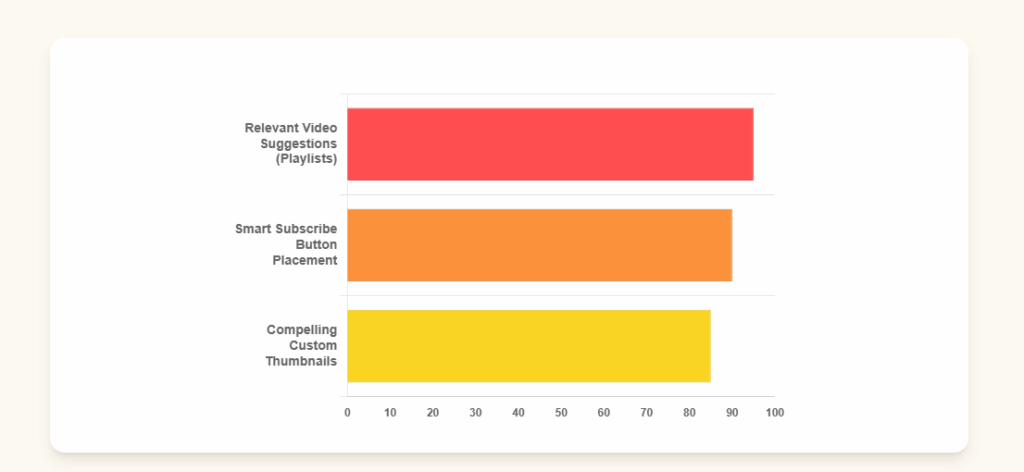
1. Relevant Video Suggestions
- Strategic Selection: Promote videos closely related to the one just watched. For example, after a beginner tutorial, direct viewers to an intermediate topic—not unrelated content.
- Playlist Promotion: Suggesting a themed playlist keeps viewers on your channel longer, building both watch time and topical authority.
2. Smart Subscribe Button Placement
- Eye Tracking: Research shows the lower-left corner is optimal for your subscribe button’s placement.
- Verbal CTA: Announce your call-to-action 10–15 seconds before the end screen appears (e.g., “If you found this helpful, hit subscribe for weekly tips!”).
3. Compelling Thumbnails
- Design for Small Sizes: End-screen thumbnails appear smaller, so use bold colors, clear large text, and expressive faces.
- Create Custom Versions: Consider optimizing thumbnails specifically for the end screen format for maximum impact.
Advanced Optimization Strategies
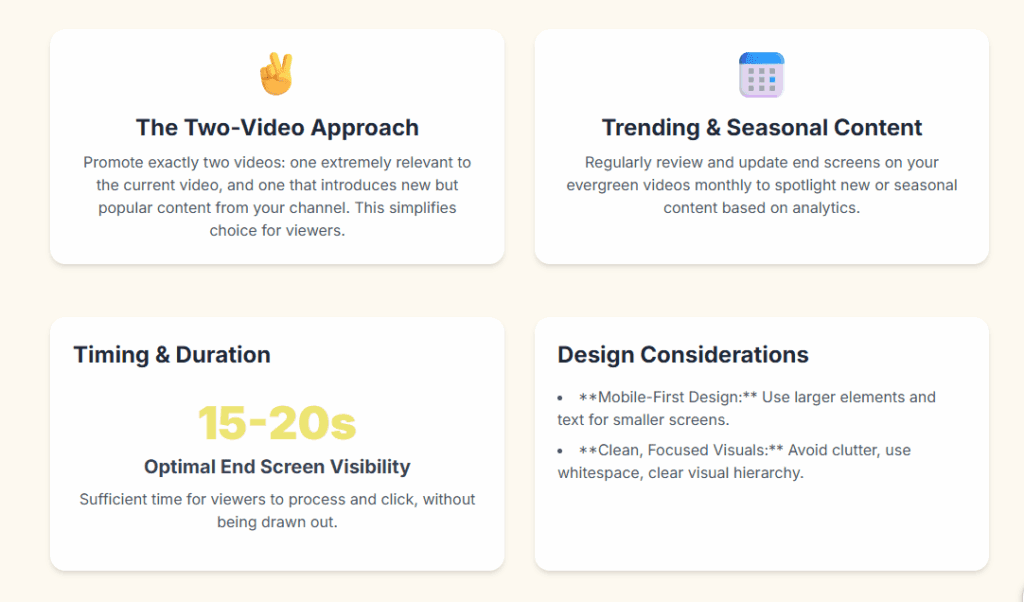
The Two-Video Approach
- Choice Architecture: Promote exactly two videos—one extremely relevant and one that introduces new but popular content from your channel. This makes choices simple and enticing.
Incorporate Trending and Seasonal Content
- Regular Review: Update end screens on your evergreen videos monthly to spotlight new or seasonal content.
- Analytics-Driven Updates: Track which end screen choices generate the best click-through rates, and adjust accordingly.
Strategic Cross-Promotion
- Collaboration: When relevant, promote another creator’s video (in a complementary niche) for mutual audience growth. Use this sparingly and intentionally to maintain your brand focus.
Technical and Design Considerations
Timing and Duration
- Keep end screens visible for 15–20 seconds—sufficient for viewers to process and click, but not so long as to seem drawn out.
- Adjust to your content’s pacing. High-energy videos may suit shorter durations.
Mobile-First Design
- Since the majority watch on mobile, use larger elements and text, optimizing layout and placement for smaller screens.
Clean, Focused Visuals
- Avoid clutter: ensure a clear visual hierarchy, use whitespace, and let the eye fall naturally from main content to end-screen promotion.
Measuring Success and Continuous Improvement
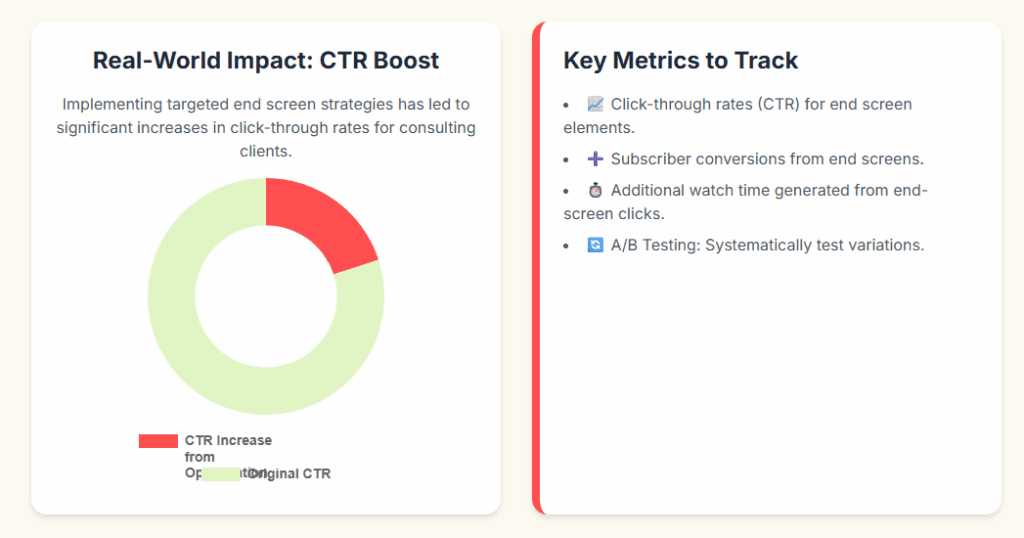
Key Metrics to Track
- Click-through rates (CTR) for end screen elements.
- Subscriber conversions that result from end screens.
- Additional watch time generated from end-screen clicks.
A/B Testing
- Systematically test variations (video choices, CTA language, thumbnail design) to refine what works with your audience. Change only one element at a time.
Avoid These Common Mistakes
- One-size-fits-all End Screens: Custom-tailor end screens for different video types or series to increase relevance and clicks.
- Overwhelming Designs: Minimal, purpose-driven layouts outperform crowded or busy end screens.
- Neglecting Analytics: Regularly check YouTube analytics to inform ongoing improvements.
Future-Proof Your Strategy
- Stay Updated: Monitor official YouTube creator updates for new end screen features and best practices.
- Value Over Tricks: Focus on genuinely benefiting your audience with each end screen recommendation—the algorithm will reward this approach over time.
Real-World Case Study
After implementing targeted end screen strategies—updating elements monthly, highlighting high-CTR videos, and using custom thumbnails—my consulting clients have seen up to a 20% increase in click-through rates and significant boosts in subscriber growth. Data-driven iteration makes a measurable difference.
Take Action: Next Steps
- Audit Existing End Screens: List your top-performing videos, review their current end screens, and identify where suggestions can be more relevant or visually impactful.
- Create a Content Map: Match logical connections between your videos and plan which should be featured in end screens.
- Test and Measure: Employ A/B testing, track analytics, and refine your approach every month.
- Share and Engage: Ask your audience about their end screen preferences in your videos or community tab. Transparency and dialogue build trust and help optimize further.
What’s your biggest end screen optimization challenge? Share your questions or experiences below—I’ll read and respond! And if this guide helped, pass it along to a fellow creator. Let’s grow together.