
The Power of Posting to Your YouTube Community Tab
Ever feel like your YouTube videos are doing all the heavy lifting for your channel growth? Like you’re constantly on the content treadmill, churning out new uploads, but maybe not connecting deeply enough with your audience between releases? If so, it’s time to unlock a secret weapon that many creators overlook: the YouTube Community Tab.
This isn’t just a place for random announcements. The YouTube Community Tab is a dynamic, interactive space designed to foster deeper engagement, gather insights, and keep your audience captivated even when you’re not publishing a new video. Think of it as your channel’s social media feed, right where your most dedicated viewers hang out.
In this comprehensive guide, we’re going to dive deep into why the YouTube Community Tab is an indispensable tool for every creator aiming for sustained growth and a loyal community. We’ll explore actionable strategies, real-world examples, and best practices to help you leverage this powerful feature to its fullest potential.
Why the YouTube Community Tab Is Your Engagement Game-Changer 🎮
You might be thinking, “Another platform to post on? Really?” But the YouTube Community Tab isn’t just “another platform.” It’s integrated directly into the YouTube ecosystem, meaning your most engaged viewers are already there, waiting to interact. Here’s why it’s a game-changer:
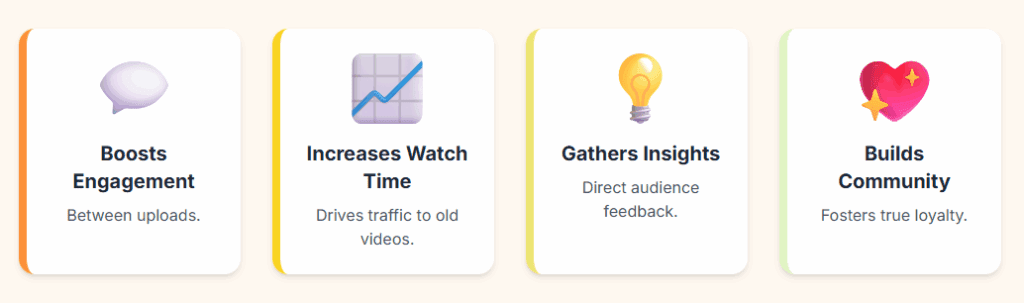
- Boosts Engagement Between Uploads: Keep your audience warm and active even when your video schedule is light. Consistent presence on the YouTube Community Tab means consistent connection.
- Increases Watch Time & Views (Indirectly): Posts can directly link to older videos or playlists, driving traffic back to your content and extending overall watch time on your channel.
- Gathers Valuable Audience Insights: Polls, questions, and discussions on the YouTube Community Tab provide direct feedback, helping you understand what your audience wants to see next.
- Builds a Stronger Community: It creates a two-way conversation, making your audience feel heard, valued, and part of something bigger. This is where true loyalty is forged.
- Notifies Subscribers: When you post to the YouTube Community Tab, your subscribers (and potentially non-subscribers who interact with your channel) can receive notifications, bringing them back to your channel.
Ultimately, the YouTube Community Tab transforms passive viewers into active participants, fostering a loyal community that sticks around for the long haul.
The Anatomy of an Effective YouTube Community Tab Post 📝
Not all YouTube Community Tab posts are created equal. To truly maximize their impact, you need a strategy. Let’s break down the types of content that perform best.
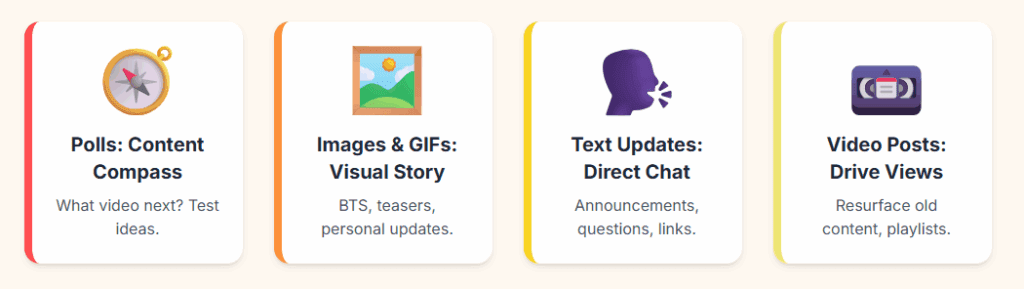
H2: Polls: Your Audience’s Voice, Your Content Compass 🧭
Polls are arguably the most powerful feature of the YouTube Community Tab. They’re quick to answer, highly engaging, and give you invaluable data.
- Content Ideas: Ask what video they want next, which topic they prefer, what challenges they’re facing, or even what time they prefer live streams. For instance, “Which of these travel vlogs should I edit first? ✈️ A) Rome Food Tour B) Bali Adventures C) Tokyo Nightlife.”
- Video Titles/Thumbnails: Test ideas for future videos by presenting a few options and seeing which one gets the most votes. This ensures your next video is exactly what your audience craves.
- Feedback & Preferences: Get opinions on merchandise designs, intro music, or even the optimal length for your videos. The YouTube Community Tab is a direct line to audience preferences.
- Timeliness: Use polls to gauge interest in current events related to your niche.
H3: Images & GIFs: Visual Storytelling Beyond Video 🖼️
A picture is worth a thousand words, and on the YouTube Community Tab, it can drive significant engagement.
- Behind-the-Scenes (BTS): Share glimpses of your creative process, equipment, or bloopers. This humanizes your brand and makes viewers feel like they’re getting an exclusive peek. “Guess what I’m filming today! Sneak peek 🎬 #BehindTheScenes”
- Teasers for Upcoming Videos: Post a compelling still or a short GIF from your next upload to build anticipation. “Working on an epic video about [topic]! Here’s a little taste… 👀 Coming soon!”
- Personal Updates: Share a photo of your pet, a quick life update, or even a picture from an event you attended. This helps build a personal connection.
- Memes & Humor: If it fits your brand, a relevant meme or GIF can elicit laughs and comments, increasing visibility of your YouTube Community Tab posts.
H4: Text Updates: Direct Communication with Your Tribe 🗣️
Simple text posts on the YouTube Community Tab might seem basic, but they’re excellent for quick announcements, questions, and fostering discussion.
- Announcements: Inform your audience about video upload schedules, live stream times, special events, or collaborations. “Hey everyone! Just letting you know this week’s video will be up on Thursday instead of Wednesday. Thanks for your patience! 🙏”
- Questions & Discussions: Spark conversations by asking open-ended questions related to your niche or recent videos. “What’s your biggest challenge when it comes to [your niche topic]? Let’s chat in the comments! 👇”
- Shout-outs: Highlight amazing comments, fan art, or fellow creators. This fosters goodwill and encourages more interaction within your YouTube Community Tab.
- Links to Other Content: Share links to blog posts, social media profiles, or products you’re promoting, directly from your YouTube Community Tab.
H4: Video Posts: Driving Views to Your Existing Library 📼
While the YouTube Community Tab isn’t for new video uploads, it’s fantastic for resurfacing older content.
- Reminders of Popular Videos: “Throwback to my most popular video on [topic]! If you haven’t seen it, check it out here: [link] ✨”
- Highlighting Themed Playlists: “Getting ready for summer? ☀️ Check out my ‘Ultimate Travel Guides’ playlist for inspiration: [link]”
- Celebrating Milestones: When you hit a subscriber milestone, share a video that tells your story or a highlight reel.
- Promoting Underperforming Videos: If a video got fewer views than expected, give it a second life by promoting it on your YouTube Community Tab with a compelling description.
Best Practices for Maximizing Your YouTube Community Tab Impact ✨
Now that you know what to post, let’s talk about how to optimize your YouTube Community Tab strategy for maximum impact.
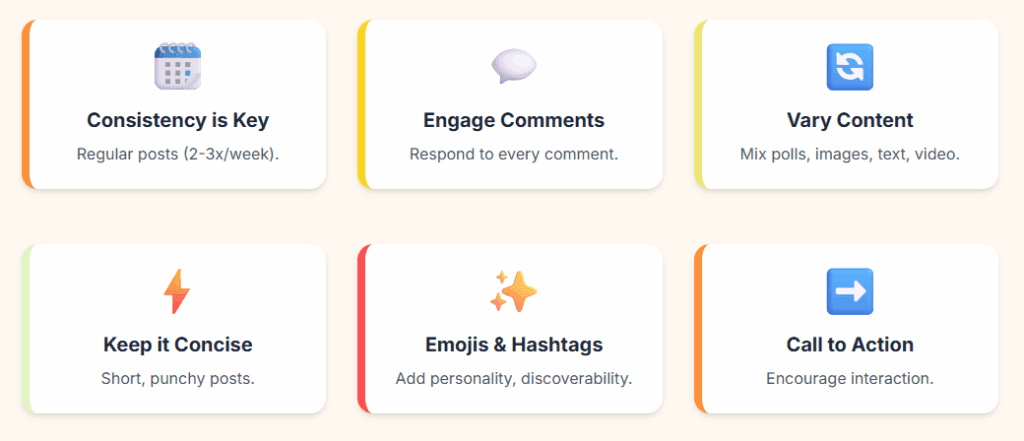
- Consistency is Key: Don’t just post when you have a new video. Aim for regular posts (e.g., 2-3 times a week, or daily if your audience is highly active) to keep your channel top-of-mind. This reinforces the value of your YouTube Community Tab.
- Engage with Comments: This is CRITICAL. Respond to every comment you can. Ask follow-up questions. Show your audience you’re listening. This builds loyalty and encourages more interaction on your YouTube Community Tab posts.
- Vary Your Content: Mix up polls, images, text, and video links to keep your feed fresh and engaging.
- Keep it Concise: While you have more room than on Twitter, short, punchy posts tend to perform better. Get to the point.
- Use Emojis & Hashtags: Emojis add personality and can grab attention. Relevant hashtags can increase discoverability, especially if someone is Browse the YouTube Community Tab for specific topics.
- Call to Action: Always include a clear, compelling call to action. “Vote below!” “Let me know in the comments!” “Check out the video!” This encourages engagement on your YouTube Community Tab posts.
- Analyze Your Analytics: YouTube provides analytics for your YouTube Community Tab posts. See what types of posts get the most engagement, when your audience is most active, and adjust your strategy accordingly.
- Promote Your Community Tab: Remind viewers in your videos to check out your YouTube Community Tab for updates, polls, and behind-the-scenes content. Add it to your end screen or pin a comment.
Google E.E.A.T. and Your YouTube Community Tab Strategy 🧠
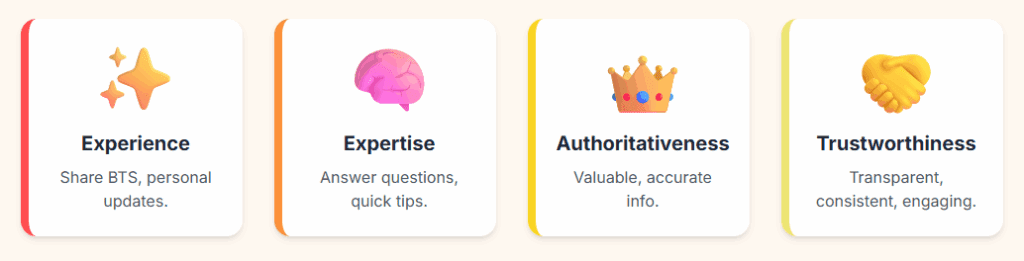
The principles of Google’s E.E.A.T. (Experience, Expertise, Authoritativeness, Trustworthiness) are just as relevant for your YouTube Community Tab as they are for your videos and website.
- Experience: By sharing behind-the-scenes content, personal updates, or even acknowledging your own challenges, you convey real-world experience. For example, a poll asking about “your biggest struggle with [topic]” shows you understand their journey.
- Expertise: Answering questions, providing quick tips, or linking to insightful older videos on your YouTube Community Tab demonstrates your knowledge and establishes you as an expert in your niche.
- Authoritativeness: Consistently providing valuable, accurate information and leading thoughtful discussions on your YouTube Community Tab positions you as an authoritative voice. When you respond to comments with well-reasoned answers, it further solidifies this.
- Trustworthiness: Being transparent, consistent, and genuinely engaging with your community builds immense trust. When your audience feels like they know and can rely on you through your YouTube Community Tab posts, they are more likely to subscribe and remain loyal.
Utilizing the YouTube Community Tab effectively helps you consistently demonstrate these E.E.A.T. signals, which in turn reinforces your channel’s value and credibility in the eyes of both your audience and YouTube’s algorithm.
Unlock Your Channel’s Full Potential with the Community Tab! 📈
The YouTube Community Tab is no longer a “nice-to-have”; it’s a “must-have” for any creator serious about building a thriving, engaged channel. By investing time and thought into your YouTube Community Tab posts, you’re not just filling space; you’re actively nurturing your audience, gathering insights, and driving growth in ways that videos alone cannot.
It’s about building a true community, one interaction at a time. So, stop leaving engagement on the table!
What’s the first type of post you’re excited to try on your YouTube Community Tab this week? Share your ideas in the comments below! Let’s get those conversations started! 👇