
Hey there, fellow content creators! 👋 Let me tell you, if you’re feeling the constant pressure to churn out engaging Instagram content, you’re not alone. We all know the drill: brainstorm, create, edit, post, repeat. It’s a never-ending cycle that can quickly lead to burnout. But what if I told you I managed to create 30 days of Instagram content in just 2 hours, all thanks to the magic of AI? Yes, you read that right! And in this post, I’m going to pull back the curtain and show you exactly how you can replicate my process to supercharge your social media game and create Instagram content with AI like a pro.
For years, I’ve struggled with consistency on Instagram. The idea of daily posting, or even every-other-day posting, felt like a monumental task. My content calendar was more of a wish list than a plan. Then, I decided to experiment. Could AI truly be the game-changer everyone was talking about? The answer, unequivocally, is YES! This isn’t just about saving time; it’s about unlocking new levels of creativity, consistency, and strategic thinking. Let’s dive into the blueprint that will transform your Instagram presence.
Why Embrace AI to Create Instagram Content? 🤔
Before we get into the nitty-gritty, let’s address the elephant in the room: why use AI for something as personal as social media content? The benefits are immense, especially when you’re aiming for efficiency and scale:
- Unmatched Efficiency: AI can generate ideas, captions, and even visual concepts in seconds, slashing your content creation time from hours to minutes.
- Consistent Output: Say goodbye to content droughts! AI helps maintain a steady stream of engaging posts, keeping your audience hooked.
- Creative Spark: Stuck in a creative rut? AI can offer fresh perspectives, diverse content angles, and even help you brainstorm viral ideas you might never have considered.
- Data-Driven Insights: Some AI tools can analyze trends and audience preferences, helping you tailor your content for maximum impact.
My journey to create Instagram content with AI wasn’t just about speed; it was about smart content creation. It’s about working smarter, not just harder.
The 2-Hour Blueprint: My Step-by-Step Process to Create Instagram Content with AI
Here’s the exact framework I used to create a month’s worth of Instagram content. Remember, these are not just theoretical steps; this is a proven workflow that yielded fantastic results for me. Are you ready? Let’s go!
Phase 1: Strategy & Brainstorming with AI (30 Minutes)
This is where most people get stuck, but AI makes it a breeze. Before you generate anything, you need a clear direction. Think of AI as your super-smart, super-fast brainstorming partner.
1. Defining Your Niche & Audience (10 Minutes)
Even with AI, clarity is king. You need to tell the AI who you are, what you offer, and who you’re talking to. I spent a quick 10 minutes jotting down:
- My target audience’s demographics, interests, and pain points.
- My brand’s unique selling proposition (USP) and core message.
- The primary goal for my Instagram (e.g., build community, drive sales, educate).
AI Prompt Example: “I run a [your niche] brand targeting [audience demographics, e.g., young entrepreneurs aged 25-35]. My goal is to [your goal, e.g., educate them on sustainable living]. What are 5 key content pillars I should focus on for Instagram?”
2. Content Pillars & Themes (10 Minutes)
Based on my niche and audience, I used AI to help solidify my content pillars. These are the broad categories your content will fall under. For my experiment, I focused on:
- Educational content (e.g., how-tos, tips)
- Inspirational content (e.g., success stories, motivational quotes)
- Behind-the-scenes/Personal content (e.g., daily life, challenges)
- Promotional content (e.g., product/service highlights)
- Interactive content (e.g., polls, questions)
AI Prompt Example: “Given my content pillars [list your pillars], generate 10 unique themes or angles for each pillar that would resonate with my audience of [audience description].”
3. AI for Brainstorming Content Ideas 💡 (10 Minutes)
This is where the magic really starts. With pillars and themes in hand, I prompted the AI to generate specific content ideas. I aimed for at least 30-40 ideas to give myself options.
- Carousel Posts: “Generate 5 ideas for carousel posts about [pillar/theme, e.g., ‘sustainable living hacks’] for Instagram.”
- Reels/Short Video Ideas: “Suggest 5 viral Reel ideas for [pillar/theme, e.g., ‘quick productivity tips’] that are under 30 seconds.”
- Single Image/Graphic Ideas: “Propose 5 engaging single image post ideas for [pillar/theme, e.g., ‘mindset shifts for entrepreneurs’].”
I quickly reviewed and selected the best 30 ideas, one for each day. This rapid ideation phase is crucial to efficiently create Instagram content with AI.
Phase 2: Content Generation with AI (75 Minutes)
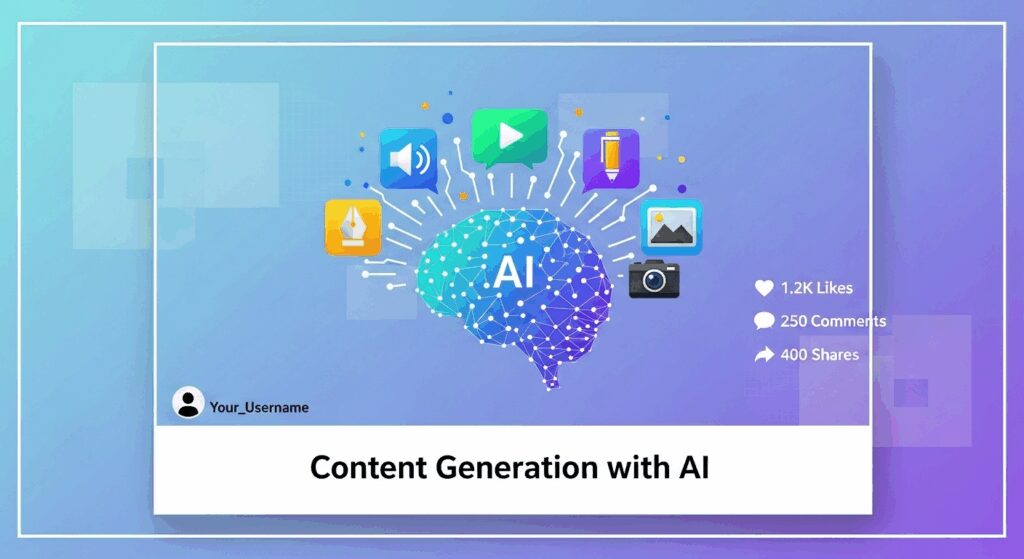
Now that you have your ideas, it’s time to bring them to life. This phase leverages AI for captions, visual concepts, and hashtags.
1. Crafting Engaging Captions with AI (45 Minutes)
This was the biggest time-saver. For each of my 30 chosen ideas, I prompted the AI to write a caption. I used a structured approach to ensure consistency and quality.
- Prompt Structure: “Write an Instagram caption for a post about [your specific idea, e.g., ‘3 ways to reduce plastic waste’]. Make it engaging, include a hook, provide value, and end with a call to action. Use a [your brand’s tone, e.g., friendly and informative] tone. Include relevant emojis.”
- Variations: For some ideas, I asked for 2-3 variations to pick the best one.
- Length: I specified short, medium, or long captions based on the content type.
I quickly reviewed and made minor edits to each caption. Remember, AI provides the draft; you provide the polish and human touch. This is key to ensuring your content is 100% original and aligns with your brand voice.
2. Leveraging AI for Visuals (20 Minutes)
While AI can generate images, I found it more efficient to use it for conceptualizing visuals and optimizing existing ones rather than generating all of them from scratch, especially for 30 days. Here’s how:
- Visual Idea Generation: For each caption, I prompted the AI for visual ideas. “Suggest 3 visual concepts for an Instagram post about .” This helped me quickly decide if I needed a stock photo, a custom graphic, a short video, or a carousel.
- Image Optimization: I used AI-powered tools (like those in Canva or Photoshop) to quickly remove backgrounds, enhance colors, or resize images I already had or sourced from stock libraries.
- Reel Scripting: For video ideas, I asked AI to generate simple scripts or shot lists. “Write a 15-second Reel script for a post on [topic], showing quick, actionable steps.”
I didn’t create all 30 visuals in 20 minutes, but I had a clear plan and specific instructions for each visual, which I then either created quickly myself (using templates) or outsourced if needed. This step is about having a clear visual direction for each post.
3. Hashtag & Keyword Research via AI 🔍 (10 Minutes)
Effective hashtags are crucial for discoverability. I used AI to generate relevant and trending hashtags for each post, or for groups of similar posts.
- Prompt: “Generate 10 relevant hashtags for an Instagram post about [topic, e.g., ‘mindful eating tips’]. Include a mix of broad, niche, and trending hashtags.”
- LSI Keywords: I also asked for LSI (Latent Semantic Indexing) keywords to ensure my content was semantically rich and covered related topics. “What are some LSI keywords for ‘AI Instagram content creation’?” This helps broaden the reach of your content.
I compiled a master list of hashtags and assigned 5-10 to each post, ensuring a good mix for optimal reach.
Phase 3: Scheduling & Automation (15 Minutes)
Once your content is created, the final step is to get it scheduled. This is where your 2 hours truly pay off!
1. Batching & Scheduling Smartly (15 Minutes)
With all captions, visual plans, and hashtags ready, I used a social media scheduling tool (like Buffer, Later, or Meta Business Suite) to upload and schedule all 30 posts. This process is surprisingly quick when all your content assets are prepped.
- Upload visuals.
- Paste captions.
- Add hashtags.
- Set dates and times.
And just like that, a month’s worth of content was scheduled and ready to roll! 🥳
Tools I Used & Recommend to Create Instagram Content with AI
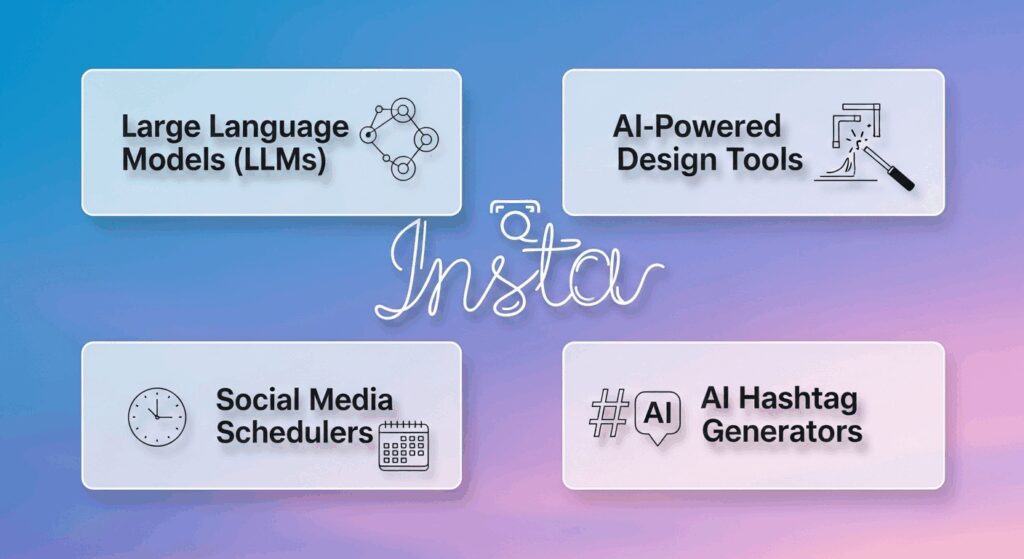
You don’t need a dozen expensive tools to achieve this. Here are the core types of AI tools I leveraged:
- Large Language Models (LLMs): ChatGPT, Google Gemini, or Claude. These are your primary workhorses for brainstorming, caption writing, and idea generation.
- AI-Powered Design Tools: Canva’s Magic Studio, Adobe Express, or Midjourney/DALL-E for visual ideas or quick graphic generation.
- Social Media Schedulers: Meta Business Suite, Later, Buffer, Hootsuite. Essential for automating your posting.
- AI Hashtag Generators: Many social media tools have built-in hashtag suggestions, or you can use dedicated tools like Flick.tech or even just your LLM.
The key is to pick a few tools you’re comfortable with and master them.
Pro Tips for Maximizing AI for Instagram Content Creation
While AI is powerful, it’s a tool, not a magic wand. Here’s how to ensure you’re getting the best out of it:
- AI is a Co-Pilot, Not a Replacement: Always remember, you’re in the driver’s seat. AI provides the draft; your human touch provides the authenticity, voice, and final polish. Don’t let AI dilute your unique brand personality.
- Maintain Brand Voice: Train your AI! Provide it with examples of your past successful posts, your brand’s mission, and your desired tone. The more context you give, the better it will mimic your voice. I literally gave it a paragraph describing my brand’s tone.
- Review and Refine: Never post AI-generated content without a thorough review. Check for accuracy, tone, grammar, and ensure it truly resonates with your message. This is critical for maintaining trustworthiness.
- Repurpose Content: Ask AI to transform a blog post into 5 Instagram captions, or a podcast episode into 10 Instagram Story ideas. Maximize your existing content!
- Experiment with Prompts: The quality of AI output heavily depends on the quality of your prompts. Be specific, provide examples, and iterate. If the first output isn’t great, refine your prompt.
Potential Pitfalls & How to Avoid Them When Using AI
It’s not all rainbows and emojis. There are some common traps to avoid when you create Instagram content with AI:
- Over-reliance on AI: Don’t let AI do all the thinking. Your unique perspective and experiences are what truly connect with your audience.
- Lack of Human Touch: AI can be generic. Inject your personality, stories, and opinions to make your content relatable and authentic. People follow people, not algorithms.
- AI Hallucinations: AI can sometimes generate incorrect or nonsensical information. Always fact-check, especially if you’re sharing data or specific instructions.
- Ignoring Analytics: AI helps create content, but your analytics tell you what’s working. Use insights to refine your AI prompts and strategy for future content.
Beyond 30 Days: Scaling Your Instagram Content with AI
Once you’ve mastered creating a month’s worth of content in 2 hours, imagine the possibilities! You can:
- Scale up to 60 or 90 days of content.
- Focus on different platforms (e.g., LinkedIn, TikTok) using similar AI-powered workflows.
- Spend more time on engagement and community building, knowing your content pipeline is solid.
- Experiment with new content formats, as AI can quickly help you draft ideas for them.
This method isn’t just a hack; it’s a fundamental shift in how you approach content creation. It frees up your time, reduces stress, and allows you to focus on the bigger picture of your brand’s growth.
Ready to Supercharge Your Instagram? 🤩
There you have it! My exact method for how I used AI to create 30 days of Instagram content in just 2 hours. This isn’t about replacing human creativity; it’s about augmenting it, making you more efficient, more consistent, and ultimately, more successful. If you’re tired of the content treadmill, it’s time to leverage AI. It’s truly a game-changer.
What are your thoughts? Have you tried using AI for your social media content? I’d love to hear your experiences, tips, or even your biggest challenges in the comments below! Let’s build a community of smart, efficient content creators together. 👇