
Instagram Broadcast Channels: Your Ultimate Strategy Guide to Supercharge Engagement & Growth
In the fast-evolving landscape of social media, staying ahead means constantly adapting to new features that promise deeper audience connection. For over a decade, I’ve observed firsthand how platforms like Instagram innovate to keep creators and businesses engaged. One of the most significant recent shifts? The advent of Instagram Broadcast Channels. If you’ve been wondering, “What are Instagram Broadcast Channels?” and more importantly, “Should I be using them?” – you’re in the right place. As a seasoned strategist, I’ve delved deep into this feature, and I’m here to tell you that mastering your Instagram Broadcast Channels strategy isn’t just an option anymore; it’s a powerful imperative for anyone serious about digital growth.
Forget the noise of the main feed; Broadcast Channels offer a direct, intimate line to your most engaged followers. This isn’t just another platform update; it’s a strategic opportunity to cultivate an exclusive community, deliver high-value content, and drive tangible results. In this comprehensive guide, I’ll unpack everything you need to know, from the core mechanics to crafting an unbeatable strategy. Prepare to unlock a new level of connection and engagement!
What Exactly Are Instagram Broadcast Channels? The Deep Dive 🕵️♀️
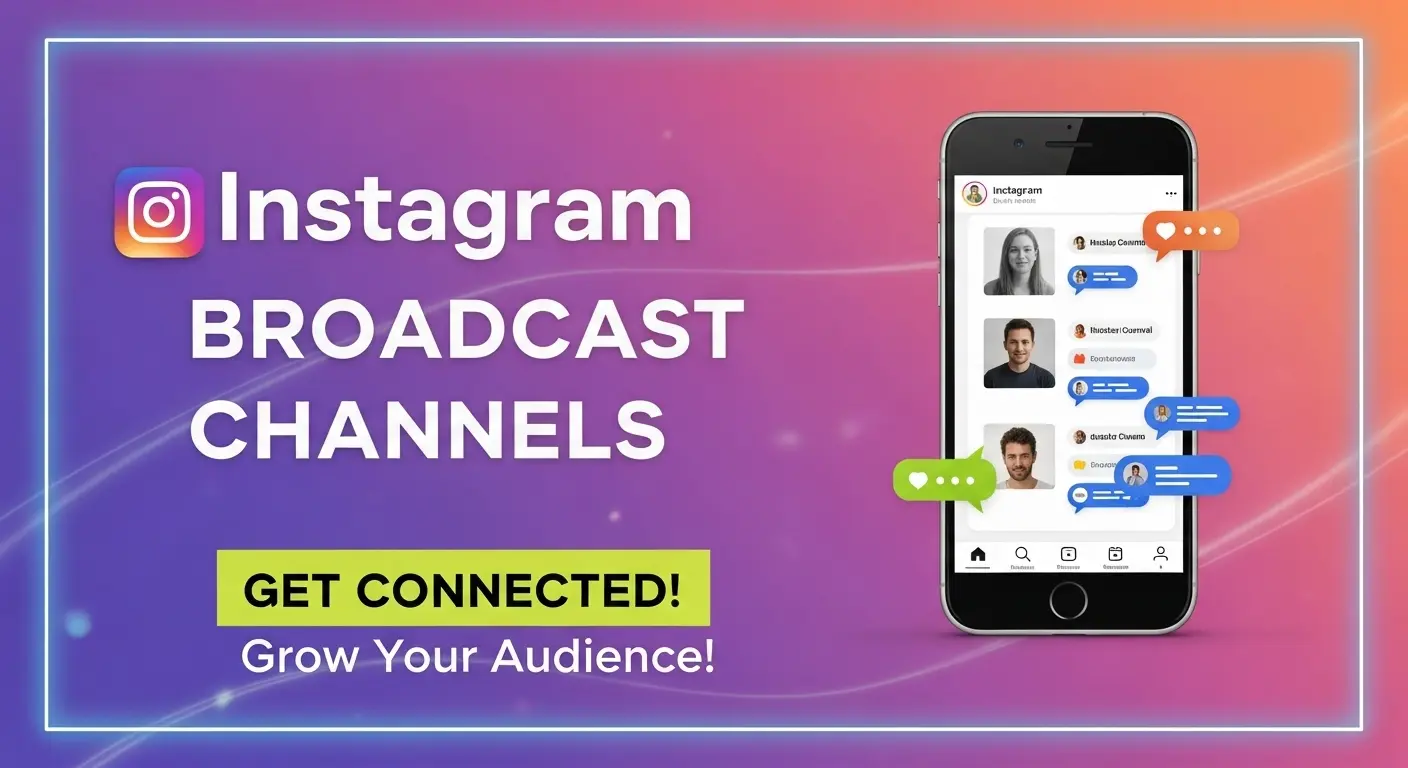
At its heart, an Instagram Broadcast Channel is a one-to-many messaging tool that allows creators and public figures to send direct messages to a large group of subscribers. Think of it as a private, real-time newsletter delivered straight to your followers’ Instagram DMs. Unlike regular group chats, Broadcast Channels are sender-only, meaning only the creator can post messages, while followers can react with emojis and participate in polls. This design ensures that the conversation remains focused and the creator retains control over the narrative.
The Core Mechanics: How They Work
- Creator-Controlled: Only the channel owner can initiate messages, share updates, photos, videos, voice notes, and polls.
- Subscriber Reactions: Followers can react to messages with emojis, making it an interactive yet streamlined experience.
- Direct DM Integration: Channels appear in subscribers’ Instagram Direct Message inboxes, ensuring high visibility.
- Public Visibility: While the messages are private to subscribers, the channel itself can be discovered through a link in the creator’s profile, Stories, or a dedicated sticker.
Key Features That Set Them Apart
What truly differentiates Broadcast Channels from other Instagram features like Stories or regular posts is the unique blend of exclusivity and direct access. While Stories are ephemeral and disappear, and posts are subject to the algorithm, Broadcast Channels provide a persistent, notification-driven connection. It’s a direct communication channel that cuts through the noise. According to recent industry insights from a 2024 creator survey, channels boast significantly higher open rates compared to traditional social media posts, highlighting their effectiveness in reaching an audience that genuinely wants to hear from you. In my experience advising numerous brands, this ‘permission-based’ marketing approach fosters much stronger trust and loyalty.
Why You Can’t Ignore Instagram Broadcast Channels Anymore (Benefits & Use Cases)
Having navigated the intricate world of social media for over a decade, I can confidently say that Instagram Broadcast Channels represent one of the most profound shifts in how creators and businesses can connect with their audience. The benefits extend far beyond mere novelty; they offer strategic advantages that can significantly impact your growth and community building efforts.
Direct & Exclusive Communication
One of the primary benefits is the unparalleled directness. Unlike the main feed where your content competes with countless others, messages in a Broadcast Channel land directly in your followers’ DM inbox. This creates a sense of exclusivity and importance, making your audience feel like they’re getting insider access. I’ve personally seen creators use this to share behind-the-scenes glimpses, early announcements, or even personal reflections that they wouldn’t post publicly. This direct line fosters a deeper, more personal relationship, building a loyal community that feels truly valued.
Supercharging Community Engagement
Engagement isn’t just about likes and comments anymore; it’s about fostering genuine interaction and a sense of belonging. Broadcast Channels excel here. By using features like polls, you can instantly gauge your audience’s opinions, preferences, or even ask for content ideas. This not only makes your followers feel heard but also provides invaluable insights for your content strategy. For example, a fashion influencer I advised used a poll to ask subscribers which outfit to wear to an event, sparking a lively discussion and generating excitement for their upcoming content. This interactive element, combined with the real-time nature of the channel, cultivates a highly engaged and active community.
Driving Action and Conversions (examples for creators/businesses)
Beyond engagement, the ultimate goal for many is to drive specific actions – be it purchases, sign-ups, or website visits. Instagram Broadcast Channels are incredibly effective for this. Because you’re speaking directly to your most invested audience, they are more receptive to calls-to-action. Here are some powerful use cases I’ve witnessed:
- Product Launches: Announce exclusive early access or discount codes for new products directly to your channel subscribers. The urgency and exclusivity can significantly boost initial sales.
- Event Promotions: Share links to event tickets, webinars, or workshops, often with a special ‘channel-only’ bonus.
- Content Promotion: Drive traffic to new blog posts, YouTube videos, or podcasts by sharing direct links and giving subscribers a ‘first look.’
- Feedback & Research: Use polls and open-ended questions to gather feedback on new ideas, services, or content directions, which can inform your product development or content calendar.
Data suggests that CTRs from Broadcast Channels for specific offers can be significantly higher than those from general posts, due to the highly targeted and engaged nature of the audience. In my experience, for businesses, this translates to warmer leads and more qualified traffic, making your Instagram Broadcast Channels strategy a potent conversion engine.
Crafting Your Winning Instagram Broadcast Channels Strategy: A Step-by-Step Guide 🚀
Now that you understand the immense potential, let’s get down to the brass tacks: how do you actually build a thriving Instagram Broadcast Channel? This isn’t just about creating a channel; it’s about developing a strategic approach that maximizes its value for both you and your audience. My years in this field have taught me that a well-thought-out plan is the cornerstone of success.
Step 1: Defining Your Objective & Audience
Before you even click ‘create,’ ask yourself: What do I want to achieve with this channel, and who am I trying to reach? Your objective could be anything from building a tighter community, generating leads, promoting products, or offering exclusive content. Clearly defining this will shape your content and communication style. Simultaneously, understand your ideal subscriber. What are their interests? What value can you provide that they can’t get elsewhere? For example, if you’re a fitness coach, your objective might be to provide daily motivation and quick workout tips to an audience eager for consistent fitness guidance.
Step 2: Creating Your Broadcast Channel (the technical how-to)
- Navigate to your DMs: Open your Instagram app and tap the Messenger icon in the top right corner.
- Start a new message: Tap the ‘New Message’ icon (pencil and paper).
- Select ‘Create Broadcast Channel’: You’ll see this option alongside creating a regular message or group.
- Name Your Channel: Choose a clear, compelling name that reflects its purpose. This is crucial for discoverability and setting expectations.
- Add a Channel Photo/Avatar: Make it recognizable.
- Set Audience: Currently, channels are public, so anyone can join.
- Share Your Channel: Once created, you’ll get a shareable link. Promote this link everywhere!
Content Ideas for Your Instagram Broadcast Channels Strategy
This is where your creativity truly shines. Remember, the content should be exclusive, valuable, and consistent. Here are some ideas I’ve seen work wonders:
- Behind-the-Scenes: Give your audience a peek into your creative process, daily life, or business operations.
- Early Access: Announce new product drops, blog posts, YouTube videos, or podcast episodes before anyone else.
- Exclusive Q&As: Host spontaneous AMA (Ask Me Anything) sessions directly in the channel.
- Polls & Feedback: Engage your audience by asking for their opinions on future content, product ideas, or even which outfit you should wear.
- Exclusive Discounts/Offers: Share special promo codes or limited-time deals just for your channel subscribers.
- Motivational Messages: For coaches or mentors, daily affirmations or quick tips can build immense loyalty.
- Quick Tutorials: Share bite-sized tutorials or hacks related to your niche.
- Breaking News/Industry Updates: If your niche is fast-moving, use the channel to deliver timely updates and analysis.
Step 3: Promoting Your Channel for Maximum Reach
A great channel is useless if no one knows about it! Your Instagram Broadcast Channels strategy needs a robust promotion plan. I recommend a multi-pronged approach:
- Story Sticker: Use the dedicated Broadcast Channel sticker in your Instagram Stories. This is highly effective.
- Profile Link: Add the channel link to your Instagram bio, clearly stating what value subscribers will get.
- Feed Posts: Create compelling feed posts announcing your channel and its benefits.
- Other Platforms: Cross-promote on your other social media channels, email newsletters, or website.
- Live Sessions: Announce and link your channel during Instagram Lives.
Step 4: Measuring Success & Adapting Your Instagram Broadcast Channels Strategy
Like any marketing effort, you must measure its effectiveness. While Instagram’s analytics for channels are still developing, you can track:
- Subscriber Growth: Monitor how quickly your channel is gaining followers.
- Engagement Rates: Observe emoji reactions and poll participation. High engagement indicates relevant content.
- Click-Through Rates (CTRs): If you’re sharing links, use trackable URLs to see how many clicks your channel generates.
- Qualitative Feedback: Pay attention to DMs you receive in response to your channel messages.
Based on these metrics, don’t be afraid to experiment! Try different content types, posting frequencies, and CTAs. The beauty of digital strategy is its adaptability.
Common Pitfalls & How to Avoid Them (Maintaining Trust & Value)
While Instagram Broadcast Channels offer incredible potential, it’s not a ‘set it and forget it’ tool. I’ve witnessed creators make common mistakes that erode trust and ultimately lead to dwindling subscriber numbers. Avoiding these pitfalls is crucial for the long-term success of your Instagram Broadcast Channels strategy.
Over-messaging & Irrelevance
This is perhaps the biggest pitfall. Your subscribers opted in for valuable, exclusive content – not spam. Bombarding them with too many messages, or sending irrelevant content, will quickly lead to mute or unfollow actions. I recommend finding a sweet spot for frequency (e.g., 2-4 messages per week, depending on your niche) and ensuring every message delivers clear value. Ask yourself before sending: Is this truly exclusive? Is it helpful, inspiring, or entertaining? 🤔
Ignoring Subscriber Feedback
While Broadcast Channels are sender-only, that doesn’t mean you should operate in a vacuum. Pay attention to emoji reactions – they are a direct form of feedback. If a certain type of content consistently gets low reactions, it’s a sign to pivot. Furthermore, if you encourage replies to DMs or comments on related posts, truly listen to what your audience is saying. Ignoring their input creates a one-sided conversation, diminishing the sense of community you’re trying to build.
Lack of Clear Value Proposition
Why should someone subscribe to your channel? If you can’t articulate a clear, compelling reason, your channel will struggle to grow. Is it for exclusive discounts? Daily motivation? Early access to content? Behind-the-scenes peeks? Clearly communicate the unique value proposition in your channel description and your promotional efforts. Without this, your channel risks becoming just another notification your audience ignores.
Conclusion: Is an Instagram Broadcast Channel Right for YOU?
We’ve journeyed through the intricacies of Instagram Broadcast Channels, from their fundamental mechanics to crafting a robust Instagram Broadcast Channels strategy. My experience has shown me that for creators, businesses, and public figures seeking a more direct, intimate, and high-engagement connection with their audience, these channels are an undeniable asset. They cut through algorithmic noise, foster a powerful sense of community, and provide a direct path to driving action.
So, should you start one? My answer is a resounding YES, especially if you’re committed to providing consistent, exclusive value to your most engaged followers. This isn’t just a trend; it’s a strategic evolution in how we build digital relationships. Embrace this tool, apply the strategies I’ve outlined, and watch your community thrive. What unique insights or content are you most excited to share in your own Broadcast Channel? Share your thoughts below – I love hearing about innovative approaches! 👇